


In our experience working across digital workplaces with hybrid teams and expanding tech stacks, we have seen how the volume and complexity of internal support requests can overwhelm traditional help desk systems. Employees expect real-time, friction free assistance whether they are resetting passwords, requesting new assets, or troubleshooting software issues, yet manual triage and rule based workflows often push mean time to resolution beyond 30 hours. By developing AI powered internal helpdesk systems that leverage machine learning, NLP capabilities, and self service automation, we have helped organizations cut MTTR to under 15 hours, reduce inbound tickets by 60 percent as reported by Forrester, and reclaim an average of $21,900 per employee each year lost to inefficient processes. These systems streamline workflows, reduce repetitive tasks for support agents, and ultimately improve the employee experience while delivering measurable cost savings.
What is AI Internal Helpdesk Development?
Internal Helpdesk vs. Customer-Facing Helpdesk
An internal helpdesk is designed for employees and internal teams, addressing requests like password resets, IT asset tracking, and HR policy clarification. On the other hand, a customer-facing helpdesk manages product support, service inquiries, and external troubleshooting. While both use ticketing systems and workflows, the internal version is deeply integrated with corporate infrastructure, internal policies, and tools like ServiceNow, Jira Service Desk, BambooHR, and Zoho People.
Role of AI in Internal Helpdesk Development
From our experience, the integration of artificial intelligence, machine learning, and natural language processing has transformed the way internal support operates. AI can intelligently triage tickets, understand requests in plain conversational language, and route them to the right department or resolve them autonomously. With Agentic AI, the helpdesk is no longer limited to static, rule-based automation; it can make autonomous decisions, adapt to new request types, and continuously improve through historical ticket analysis.
Centralizing Support Across Channels
Modern AI internal helpdesks consolidate support from multiple sources into one platform:
- Email – Smart parsing to categorize and prioritize incoming requests.
- Chat platforms – Integration with Slack and Microsoft Teams for real-time queries.
- Self-service portals – Customizable forms and AI-suggested knowledge base articles.
- Voice – Speech-to-text logging of requests made over phone or voice assistants.
By centralizing and automating these channels, AI internal helpdesk development eliminates the inefficiencies of scattered communication, ensures consistent service levels, and creates a unified, intelligent support experience for every employee.
Why AI is Essential for Modern Internal Helpdesks
In today’s digital workplaces, we’ve witnessed a constant rise in ticket volumes as hybrid teams adopt more tools, devices, and platforms to get work done. This complexity creates a flood of IT and HR requests, from troubleshooting application errors to updating payroll details, that quickly overwhelm traditional support models. At the same time, employee expectations have shifted. Teams now want 24/7 access to help, multilingual support, and the ability to resolve issues instantly through self-service without waiting in queues or navigating multiple systems.
Information overload and device fatigue make this even more urgent. When employees spend an average of 2.5 hours each day hunting for the right information, productivity and morale suffer. Centralizing access through an AI internal helpdesk ensures that whether a request comes via Slack, Teams, email, or a self-service portal, it’s handled quickly and consistently.
From a business perspective, the value is undeniable. Research shows companies with a highly engaged workforce can be 22 percent more profitable, while well-informed employees can drive 18 percent higher customer retention. In volatile economic climates, decision-makers need solutions that deliver both cost efficiency and productivity gains. AI-powered helpdesks streamline workflows, reduce repetitive manual interventions, and free skilled agents to focus on complex, high-value issues, ultimately building a smarter, faster, and more resilient support environment.
Key Components of a Modern AI-Powered Internal Helpdesk
A well-developed AI internal helpdesk combines automation, intelligence, and integration to deliver fast, consistent, and scalable support. From our hands-on experience at Auratek building and optimizing these systems, the following components are essential for achieving high efficiency and measurable results:
1. Ticket Creation
Multi-channel intake ensures employees can submit requests from email, chat platforms like Slack or Microsoft Teams, self-service portals, or even voice input. With NLP-powered intent recognition, the system understands natural language descriptions such as “I can’t connect to the VPN” and logs all relevant details without forcing users to navigate complex forms.
2. Categorization & Prioritization
AI tagging automatically classifies requests by issue type, urgency, and department. By detecting priority levels in real time, the system ensures critical issues like security breaches or infrastructure outages are escalated immediately while routine requests are queued appropriately.
3. Automated Assignment
Smart routing matches tickets to the right support team or agent based on skill, availability, and workload. This eliminates manual sorting and reduces delays caused by misrouted requests.
4. SLA Tracking
Built-in timers and alerts monitor each ticket’s progress against service-level agreements. When deadlines approach or are at risk, escalation workflows trigger notifications or reassignments to keep resolution times within agreed limits.
5. Resolution Workflows
Automation scripts and guided steps walk support agents through consistent resolution processes. For certain routine tasks, such as password resets or software provisioning, the AI can resolve issues autonomously without human intervention.
6. Knowledge Management
An integrated knowledge base, enriched with AI-suggested articles, allows employees to find solutions instantly through self-service. The system learns which resources are most effective and surfaces them at the right time.
7. Reporting & Analytics
Performance dashboards and predictive analytics provide insight into ticket volumes, resolution times, SLA compliance, and recurring issues. These insights help identify bottlenecks, forecast future needs, and continuously improve service quality.
When these components work together, the result is a centralized, intelligent helpdesk that adapts to evolving demands while minimizing manual effort and maximizing employee productivity.
AI vs. Traditional Rule-Based Automation
static workflows. For example, if a request contained the word “password,” the system might automatically route it to Level 1 IT support. While this approach can handle basic categorization, it often struggles when employees describe issues in less direct ways. A phrase like “my laptop fan sounds like a jet engine” might go uncategorized or be misrouted, even though it clearly points to a hardware problem.
AI-powered helpdesks, on the other hand, leverage natural language processing, machine learning, and even Agentic AI to understand the context and intent behind every request. Instead of relying on rigid rules, the system learns from historical ticket data, adapting to new patterns and improving its accuracy over time. This means it can recognize nuanced language, factor in the employee’s role, urgency, and past interactions, and make smarter routing or resolution decisions.
With Agentic AI, the helpdesk gains the ability to act autonomously, not just suggesting next steps but actually carrying them out. That can mean automatically provisioning software, resetting an account, or applying configuration changes without waiting for human approval. In our implementations, this shift from static workflows to adaptive, decision-making AI has significantly reduced resolution times, improved routing accuracy, and freed up support teams to focus on complex, high-value issues.
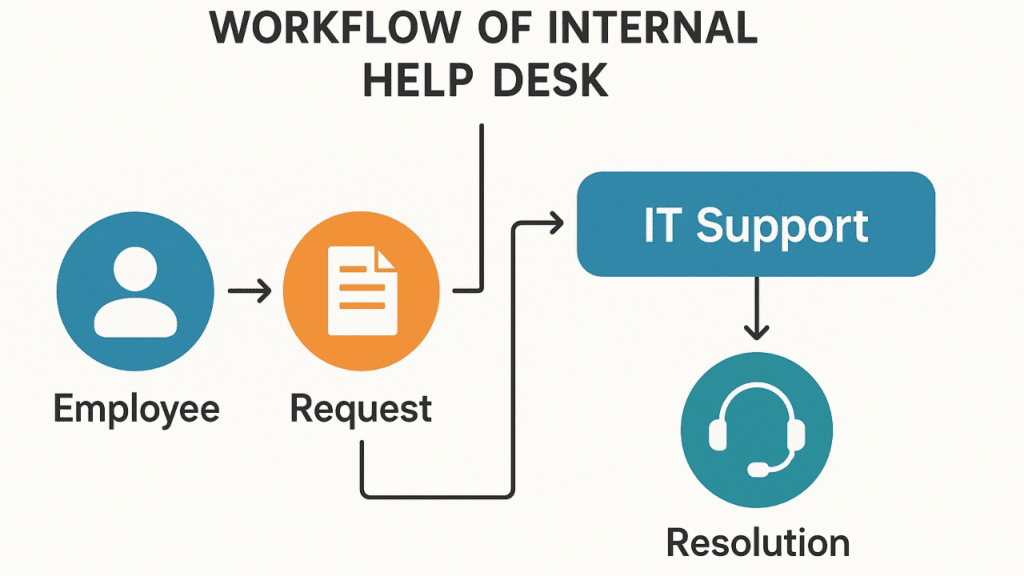
How AI Boosts Internal Helpdesk Productivity
From our work implementing AI internal helpdesks, we’ve seen productivity gains happen across multiple layers of the support process. One of the biggest improvements comes from automated ticket management, where AI categorizes, prioritizes, and routes incoming requests without human intervention. This eliminates the delays of manual triage and ensures urgent issues reach the right specialist faster.
Instant responses are another major win. NLP-powered chatbots can answer common queries such as “How do I reset my password?” or “What’s the process for requesting new software?” in seconds, providing employees with accurate, context-aware solutions on the spot. These chatbots also offer 24/7 availability, supporting teams across time zones and languages without the need for overnight staffing.
The ability to deliver autonomous resolution is where AI’s impact becomes even more tangible. Routine Level 1 issues like password resets, account unlocks, and software provisioning can be resolved entirely by the system, freeing up human agents to focus on more complex problems.
Finally, omnichannel support means employees can get help wherever they work — whether that’s within Teams, Slack, email, or a self-service portal. By unifying all these channels into one intelligent platform, AI eliminates the inefficiencies of switching between systems, reduces backlogs, and ensures a consistent, high-quality support experience across the organization.
Use Cases for AI Internal Helpdesk Development
IT Support Automation
In IT environments, AI-powered internal helpdesks can handle a wide range of routine tasks that previously consumed hours of manual effort. Password resets, account unlocks, and new asset requests can be processed automatically, allowing employees to get back to work without waiting in queues. For urgent issues, rapid incident management powered by AI escalation rules ensures the right on-call specialist is notified instantly, even outside business hours. By applying orchestration rules to pull data from ITSM repositories, the system also provides full IT infrastructure visibility — tracking hardware, software updates, and configuration changes — which is critical for continuous delivery support in DevOps environments.
HR Support Automation
For HR teams, AI-driven helpdesks can streamline high-volume, repetitive processes like leave or PTO requests, payroll queries, and onboarding/offboarding workflows. Employees can access a self-service portal to manage routine HR tasks, while the system integrates with tools such as BambooHR or SAP SuccessFactors to update records instantly. Beyond transactions, AI can run employee wellness surveys and monitor engagement, providing leadership with insights to improve workplace culture. Expense management and policy information retrieval can also be automated, reducing email back-and-forth and freeing HR staff for strategic initiatives.
Distributed Workforce Support
With hybrid and remote work becoming standard, AI helpdesks support multilingual capabilities and adapt to regional workflows, ensuring compliance with local regulations and practices. They provide 24/7 support without overnight staff, using translation engines and intelligent routing to deliver accurate, localized assistance regardless of time zone. This always-on capability ensures that employees, no matter where they are, have access to consistent, high-quality support.
🤖 Looking to Build an AI Internal Helpdesk?
We specialize in developing AI-powered helpdesk systems that automate ticketing, triage, and resolutions across multiple channels like Slack, Teams, and email.
Explore our development services here.Benefits of AI-Powered Internal Helpdesk Systems
From our deployments, one of the most measurable benefits of AI-powered internal helpdesks is a reduction in mean time to resolution (MTTR), often by 50 percent or more. Requests that might have taken over a day to resolve with manual triage can now be handled in under 15 hours, with many routine tickets resolved instantly. This speed is amplified by self-service deflection, where employees find answers through AI-suggested knowledge base articles or chatbot guidance, resulting in lower ticket volumes for IT and HR teams.
Consistency is another major advantage. By applying the same intelligent workflows and escalation rules to every request, AI ensures high-quality, predictable support experiences across the organization. This reliability contributes directly to higher employee satisfaction and engagement, as workers know they can get quick, accurate help whenever they need it.
The ripple effect is significant for internal teams too. With fewer repetitive requests to manage, IT and HR staff can shift focus to strategic initiatives, process optimization, and innovation, leading to increased team productivity.
When it comes to cost savings, the numbers speak for themselves. Using the productivity loss calculation from OECD data, $39,818 average salary, 1,686 hours worked annually, and 2.5 hours wasted daily on information hunting, an inefficient system can cost roughly $21,900 per employee per year. By implementing AI-driven automation that reduces wasted time and accelerates resolutions, organizations can recapture much of this lost value while simultaneously boosting service quality.
How to Develop & Implement AI Internal Helpdesk Systems
In our projects, the most successful AI internal helpdesk deployments begin with a clear understanding of organizational needs. Conducting a gap analysis helps identify the biggest inefficiencies, such as slow IT ticket resolution or repetitive HR inquiries, and allows you to prioritize high-impact use cases in both ITSM and HRSM domains.
Once needs are defined, the next step is to choose the right features. Core capabilities should include Agentic AI for autonomous decision-making, NLP for natural language understanding, robust integration options to connect with your existing tech stack, and strong security features like SSL encryption, multi-factor authentication, and in-transit data protection.
Selecting a scalable platform is equally important. Your solution should adapt to growth in ticket volume, new use cases, and additional employee locations without degrading performance. Many organizations integrate with existing tools such as ServiceNow, Jira Service Desk, Workday, or BambooHR to centralize workflows and avoid data silos.
Training AI models with historical ticket data is where the system learns to understand real-world request language, common issues, and resolution pathways. This training enables accurate categorization, prioritization, and even autonomous resolution for routine tasks.
Deployment can be streamlined through low-code or no-code platforms, allowing teams to test and launch quickly without heavy development cycles. Pre-built workflows and chatbot templates can accelerate the process, but customization ensures the system aligns with your specific policies and processes.
Finally, monitor and optimize continuously. Track KPIs like MTTR, CSAT scores, and ticket deflection rates to measure performance and identify improvement areas. Regularly refining workflows, updating the knowledge base, and expanding AI capabilities will keep your internal helpdesk responsive, efficient, and aligned with evolving employee needs.
Leading AI Internal Helpdesk Tools (and What They Offer)
When choosing an AI internal helpdesk solution, it’s important to look beyond marketing claims and focus on how each tool supports employee-facing IT and HR operations. Based on our evaluations and hands-on testing, here are five standout options that can transform internal support.
1. Auratek Help Desk
Auratek is a solid choice for organizations that want AI-generated responses, a drag-and-drop chatbot builder, and in-depth analytics without a steep learning curve. We’ve used Auratek to summarize long employee queries, generate personalized replies, and train chatbots on internal knowledge base content. It also offers features like canned responses, alerts, and integration with Auratek Live Chat and Knowledge Base, making it a good fit for companies prioritizing self-service and rapid deployment.
2. HelpDesk
HelpDesk shines in ticketing automation, automatically categorizing and prioritizing requests while allowing support teams to adjust tone and style for internal communication. We’ve found its tone adjustment feature particularly useful for aligning IT responses with company culture — whether that’s keeping messages formal for policy-related issues or casual for day-to-day tech help. While some AI features like language detection are still developing, its customizable workflows and performance tracking make it a capable option for mid-sized teams.
3. Zendesk
Although Zendesk is often seen as a customer-facing platform, its knowledge base with AI-powered content suggestions can be highly effective for internal helpdesks. By analyzing usage patterns, it helps identify which internal articles employees rely on most and flags outdated content for removal. Coupled with automation features like triggers and macros, Zendesk can streamline repetitive IT and HR processes. Its higher price point, however, means it’s best suited for larger enterprises with the budget to fully leverage its capabilities.
4. HubSpot Service Hub
For organizations already using HubSpot’s CRM, the Service Hub offers a unified platform where internal support teams can access comprehensive employee data. We’ve used it to link HR requests, IT issues, and employee history in one place, enabling more personalized, context-aware assistance. With AI-driven ticket routing and robust analytics, HubSpot Service Hub can improve resolution times and employee satisfaction, though it may be less cost-effective for businesses not already invested in the HubSpot ecosystem.
5. Moveworks
Moveworks stands out as an Agentic AI layer that integrates directly with tools like ServiceNow and Jira Service Desk. Rather than replacing your existing ticketing system, it enhances it with capabilities like instant responses, intelligent routing, and autonomous resolution of routine tasks such as password resets and access requests. In our experience, Moveworks delivers measurable results quickly — often within weeks — and supports 100+ languages, making it ideal for distributed, multilingual workforces.
Measuring Success & ROI
When implementing an AI internal helpdesk, success should be measured with clear, actionable KPIs that reflect both efficiency and employee satisfaction. We typically focus on Mean Time to Resolution (MTTR) to track how quickly issues are resolved, Customer Satisfaction Scores (CSAT) to gauge employee perceptions of support quality, and First Contact Resolution (FCR) rates to see how often tickets are closed in a single interaction. The ticket deflection rate measures how many issues are resolved through self-service without agent involvement, while SLA compliance ensures response and resolution times meet agreed service levels.
Real-world results show just how impactful these metrics can be. Broadcom has achieved remarkable speed, resolving 57 percent of IT issues in under 60 seconds through AI-driven automation. Unity, a leading game development platform, reports a 90 percent employee satisfaction rate with IT support after implementing intelligent self-service and automated ticket handling. Leidos has reduced its MTTR from hours to mere minutes, enabling its workforce to stay productive with minimal downtime.
By continuously tracking these KPIs, organizations can not only validate the ROI of their AI helpdesk investment but also identify areas for ongoing optimization, ensuring the system evolves alongside the business and continues to deliver measurable value.
Challenges & Best Practices
From our experience, the transition to an AI-powered internal help desk is rarely just a technical Shift, it’s a cultural one. Change management and employee adoption are critical, as even the most advanced system will underperform if staff don’t trust it or understand how to use it. Early communication, training sessions, and pilot programs can ease the transition and build confidence in the new workflows.
Data privacy and compliance are also non-negotiable. Whether adhering to GDPR, SOC 2, HIPAA, or internal security policies, the helpdesk must be built with strong safeguards like SSL encryption, in-transit data protection, access controls, and multi-factor authentication. This is especially important when handling sensitive HR information or IT credentials.
Another best practice is avoiding over-automation. While AI can autonomously resolve many Level 1 tickets, complex or sensitive issues still require a human-in-the-loop to ensure accuracy, empathy, and context-aware decision-making. Striking the right balance between automation and human oversight preserves service quality while maximizing efficiency.
Finally, continuous AI training and workflow updates keep the system effective over time. Feeding it new ticket data, refining categorization rules, and updating the knowledge base ensures the AI adapts to evolving tools, policies, and employee needs, preventing performance stagnation and maintaining a high ROI.
Conclusion
AI internal helpdesk development has redefined how organizations deliver IT and HR support, replacing slow, manual processes with intelligent systems that adapt, learn, and resolve issues faster than ever. By leveraging machine learning, NLP, and Agentic AI, businesses can cut resolution times in half, free employees from repetitive tasks, and provide 24/7 multilingual assistance without overburdening their teams. The benefits are tangible, from faster MTTR and higher satisfaction scores to significant cost savings and productivity gains across the workforce. For those beginning the journey, the smartest approach is a gradual rollout, starting with high-impact Level 1 automation such as password resets and access requests. This builds trust, delivers quick wins, and lays the foundation for scaling AI capabilities to every corner of the organization.
FAQ'S
From our experience, AI agents act as sophisticated chatbots or virtual assistants powered by advanced algorithms, capable of understanding natural language and even learning from past interactions. These systems allow us to perform tasks once handled by human staff, delivering enhanced speed and accuracy.
We’ve seen AI agents revolutionizing helpdesk operations by automating responses to common IT requests, reducing response times, minimizing errors, and enhancing user experiences across the organization.
In our work, we know technical challenges and data privacy concerns are important when implementing AI agents. It requires expertise in machine learning and natural language processing, and maintaining and updating models can be resource-intensive. We always ensure compliance with data protection regulations because it’s essential.
By combining AI with a structured internal knowledge base, we’ve created smart self-service helpdesk systems that work around the clock. AI removes friction, understands questions in plain language, and delivers fast, relevant results for our teams.
We use modern internal helpdesk automation with Slack and Teams Support Bots to streamline IT and HR support. Our intelligent chatbot like WorkBot in Microsoft Teams excels at providing instant answers, reducing ticket volume, and improving employee experience.